Dictation for MacDictation for WindowsDictation for Linux
You talk.
Monkeys type.
Hold a key and talk. The monkeys type every word wherever your cursor is.
Free for 7 days. Works on any Mac: Apple Silicon with macOS 14+, or Intel with macOS 11+.
7 days free, no card needed. Then $25 once.
Windows may warn because the installer is new; click More info → Run anyway.
7 days free, no card needed. Then $25 once.

How the monkey business works


Hold your key (right Option by default)Hold your key (right Alt by default)
The crew puts their headphones on. You can pick another key in the app's settings.
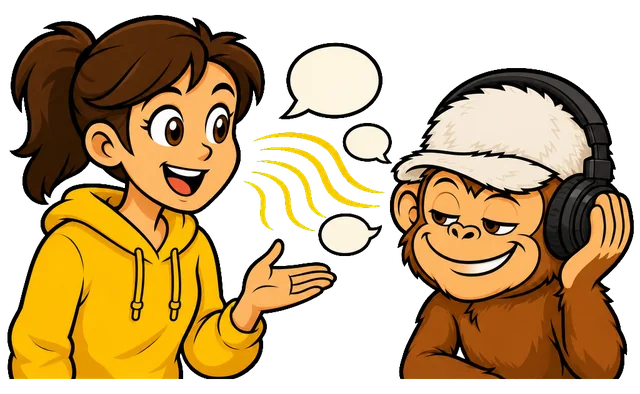
Talk like you always do
No commands. Switch languages freely.

Let go. The monkeys type
The text lands at your cursor.
Features
A crew you can trust with your words

The monkeys never leave your MacThe monkeys never leave your computer
Speech is recognized on your Mac. No servers, works offline.Speech is recognized on your computer. No servers, works offline.
Watch them type while you talkText right after you let go
Words appear while you speak and drop into the app when you let go.The text is pasted almost as soon as you let go of the key.
Multilingual monkeys
Switch languages mid-sentence. GitHub, Figma and Telegram stay spelled right.
They keep the tapes
Every dictation is saved with its recording. Copy it or play it back.
The crew speaks 25 languages
The language is detected by ear, even mid-sentence. The app itself speaks 20 of them.The language is detected by ear, even mid-sentence. The app is in English and Russian.

























Try it
Press the button and say a sentence. The monkeys type it here.
Just a demo: the app is faster.
Up to 15 seconds, any of 25 languages. Nothing is stored.
The app does this in any window: hold the key, speak, let go.
Pricing
Hire the crew once. Keep them for good.
- Lifetime license
- One license per computer: buy as many as you need
- Every update of version 1
- 7 days free, no card needed
$25 one-time payment
Pay by card · Through Stripe. As many licenses as you need.
Other ways to pay
After payment, the key comes by e-mail (via Tribute: in Telegram). Paste it into the app. Refund within 14 days.After payment, sign in to the app with the e-mail you paid with: the license connects by itself. Refund within 14 days.
Intel Mac? It works offline too: the same $25 once, the same 7-day free trial. Download for Mac (Intel)
Have an invitation code?
Letters and digits onlyWindows may warn because the installer is new; click More info → Run anyway.
Requirements
- Mac with Apple Silicon (M1 or newer) or with Intel
- macOS 14 Sonoma or later (Intel: macOS 11 or later)
- About 600 MB for the speech model
- Intel Mac: 8 GB of memory recommended
- Windows 10 or 11, 64-bit
- About 640 MB for the speech model
- 64-bit Linux: AppImage, or .deb for Ubuntu and Debian
- About 640 MB for the speech model
Write to support@voicemonkeys.com. A real person answers, not a monkey.
Requirements
- Mac with Apple Silicon (M1 or newer) or with Intel
- macOS 14 Sonoma or later (Intel: macOS 11 or later)
- About 600 MB for the speech model
- Intel Mac: 8 GB of memory recommended
- Windows 10 or 11, 64-bit
- About 640 MB for the speech model
- 64-bit Linux: AppImage, or .deb for Ubuntu and Debian
- About 640 MB for the speech model

Stuck? Ask a human
Write to support@voicemonkeys.com. A real person answers, not a monkey.
Voice Monkeys in short
Voice Monkeys is a dictation app for Mac, Windows and Linux: hold a key, speak, and the text appears at the cursor in any app. Speech is recognized on the computer itself, fully offline, in 25 languages that you can mix in one sentence. It costs $25 once for a lifetime license on one computer, with a 7-day free trial.
Questions for the monkeys
What happens when the 7-day trial ends?
The trial needs no card. After 7 days, dictation pauses until you enter a license key; your settings and history stay.
Do the monkeys send my voice to the internet?
No. Recognition runs on your Mac. The internet is used only to download the speech model (about 600 MB) and activate your license.No. Recognition runs on your computer. The internet is used only to download the speech model and activate your license.
Which Macs can the crew work on?
Every Mac works offline: Apple Silicon with macOS 14 or later, or Intel with macOS 11 or later. One license, $25 once, covers both.
Does it work offline?
Yes. Once the speech model is downloaded, the app works fully offline.
Can I get my money back?
Yes, within 14 days of purchase. No questions asked: just write to support. Details are in the refund policy.
Can I move a license to another computer?
A license stays on the computer it was first used on. Replaced a broken computer? Write to us and we move the license for you. For an additional computer, buy another license in your account.
Show all questions
Which languages do they take dictation in?
Any of these 25: Bulgarian, Croatian, Czech, Danish, Dutch, English, Estonian, Finnish, French, German, Greek, Hungarian, Italian, Latvian, Lithuanian, Maltese, Polish, Portuguese, Romanian, Russian, Slovak, Slovenian, Spanish, Swedish, and Ukrainian. They tell them apart by ear, and you can mix them in one sentence.
macOS says the app can't be opened. What now?
Voice Monkeys is notarized by Apple. If macOS still refuses, open System Settings → Privacy & Security and click “Open Anyway”.
How do I remove Voice Monkeys completely?
Quit the app and drag Voice Monkeys from Applications to the Trash. To also remove history and the speech model, delete “Voice Monkeys” and “FluidAudio” in ~/Library/Application Support.Uninstall it in Settings → Apps → Installed apps.Delete the AppImage or remove the package with your package manager.
On how many computers can I use it?
One license = one computer, any system: Mac, Windows or Linux. Need more? Buy as many as you need, at once or later: they all show up in your account.
I lost my license key. What now?
Sign in with the email you paid with: your key is right there, and we can send it to that address again.